
Development Page


If you have the OS disks, you can insert them and run the programs within. What you can do without the OS disks is play games or demos in the Dr. PC Jr.'s special format. All games or demos on the floppy disk have to be named "FCxxxxxx" in order for the Dr. PC Jr. to recognize them, so be sure to name them that way. Remember that piracy of Nintendo games is bad, so only use freeware games or demos! :-D

Select your file, press the A button, and within a couple of seconds, poof! The game or demo should begin running on your video screen. It should behave just like a real Nintendo system, or at least like a clone.
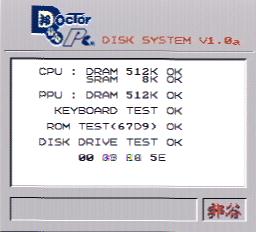
Another interesting thing that you can do is hold down Select and Start while you turn on the power. The PCJr will go through a series of system tests to check if everything is working okay. If you have a printer hooked up to the Dr. PC Jr., it will even print out a couple of lines of text!
 |  |  |
 |  |  |
 |  |  |